Tool & ProcessesUsing MS Teams
Using MS Teams
We offer customer support via MS Teams as an alternative to Slack. All MS Teams channels are synced to Pylon alongside Slack channels.
Customer Teams Channel
1. Create a new Team
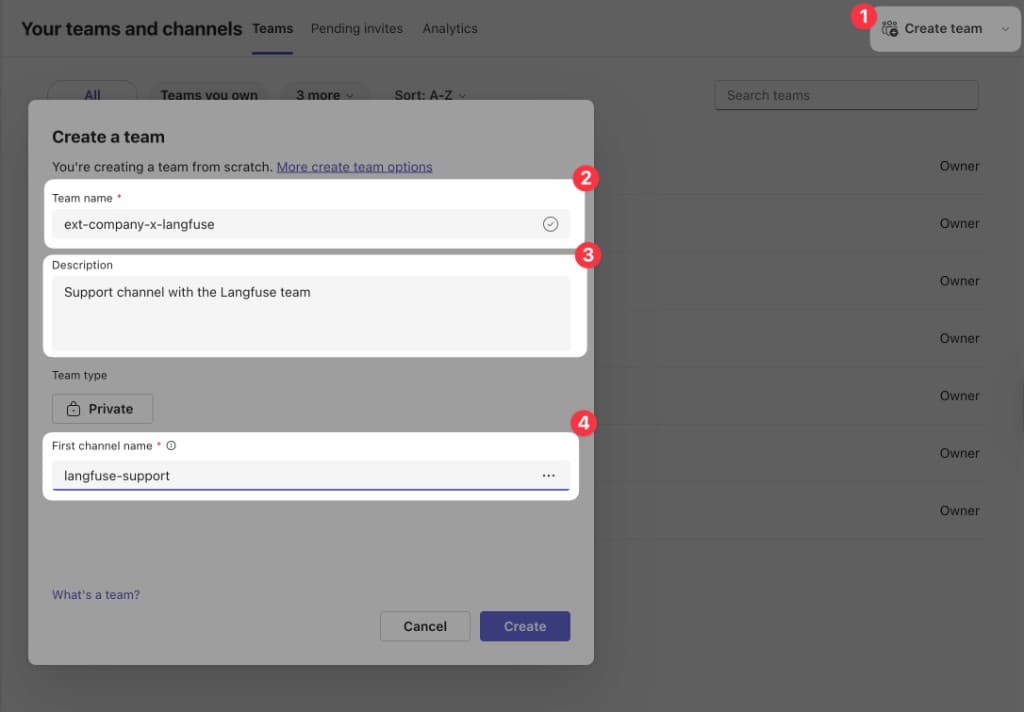
Go to the Teams and Channels overview and click Create team. Ask Jannik to get access to the Langfuse MS Teams account.
Use the following naming convention and settings:
- Team name:
ext-<company>-x-langfuse - Description:
Support channel with the Langfuse team - Team type: Private
- First channel name:
langfuse-support
2. Add members
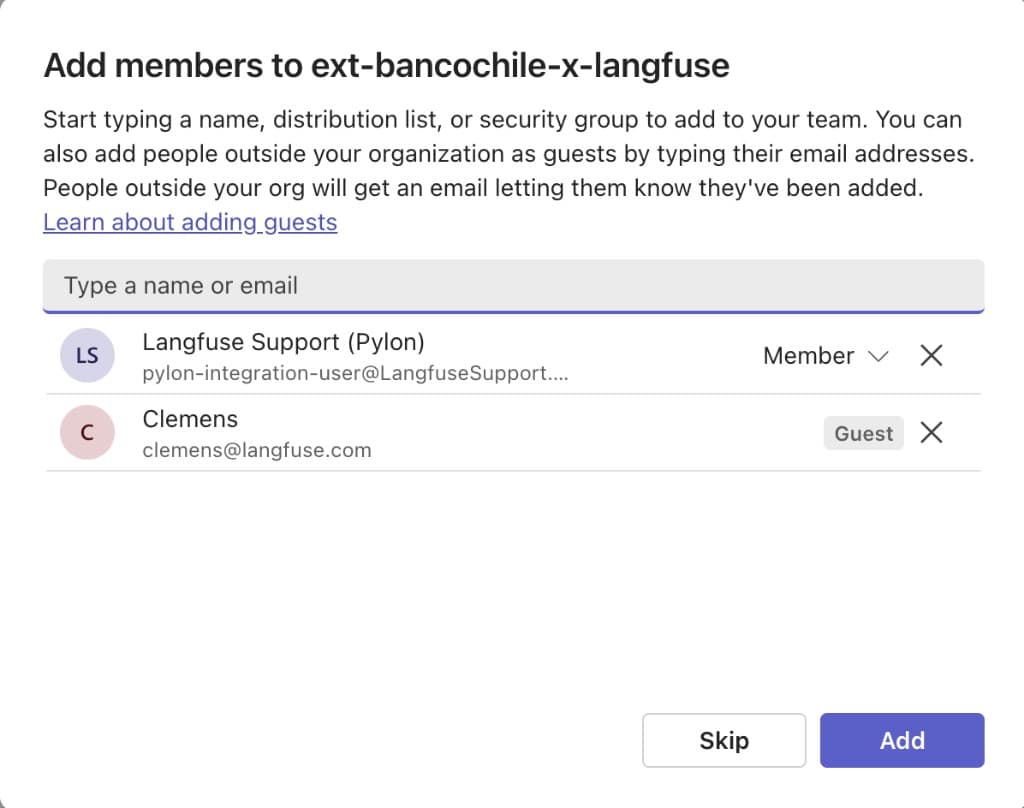
Add the following members to the team:
- Pylon integration:
pylon-integration-user@LangfuseSupport.onmicrosoft.com(as Member) - Clemens:
clemens@langfuse.com(as Guest) - Customer email addresses (as Guests)
3. Post a welcome message
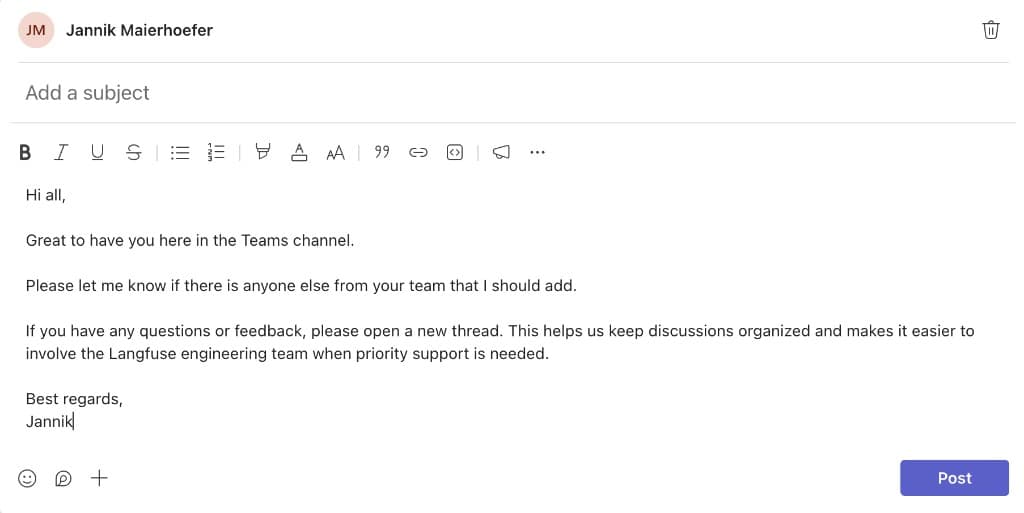
Once the team is set up, post a welcome message in the langfuse-support channel to introduce yourself and let the customer know they can reach out here.
Was this page helpful?
